Zero-Downtime Schema Changes: A Practical Guide to Migrating Without Locking Up Your App
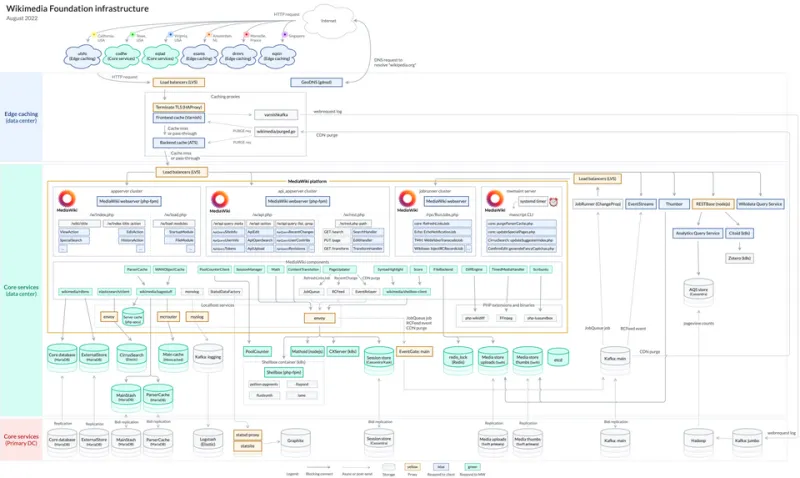
Photo: Timo Tijhof, CC0, via Wikimedia Commons
You've been there. You kick off what looks like a routine migration—adding an index, renaming a column, changing a data type—and within seconds your application response times crater. The database is locked. Users are staring at spinners. Your on-call phone starts buzzing.
Schema migrations and table locks have a complicated relationship, and understanding that relationship is the difference between a smooth deployment and a Thursday afternoon incident that ruins everyone's weekend.
Let's get into it.
Why Schema Changes Lock Tables in the First Place
Before you can avoid locks, you need to understand why they happen.
When you run a DDL statement—ALTER TABLE, ADD COLUMN, CREATE INDEX—most databases need to acquire a lock on the table to safely make the change. The lock prevents reads and writes from interfering with the structural modification. In older versions of MySQL, even adding a column required a full table rebuild with an exclusive lock. PostgreSQL has historically been similarly aggressive with certain operations.
The problem is proportional to your table size and traffic. On a table with 500 rows and light traffic, a lock is a non-event. On a table with 50 million rows and hundreds of concurrent connections, that same lock can queue up requests until your connection pool exhausts and your application falls over.
The lock isn't a bug. It's the database protecting data integrity. Your job is to work around it intelligently.
The Case That Made Everyone Pay Attention
A mid-size e-commerce company—let's call them what they are, a classic Rails app on PostgreSQL—needed to add a non-nullable column with a default value to their orders table. Standard stuff. Their DBA ran the migration during a low-traffic window on a Sunday morning.
What they didn't account for: PostgreSQL 10 (their version at the time) would rewrite the entire table to add a non-nullable column with a default. Their orders table had grown to 80 million rows. The migration took 23 minutes. The table was locked the entire time. Their checkout flow was effectively down for nearly half an hour on a Sunday—which, for e-commerce, is not actually a low-traffic window.
The fix was available to them the whole time. PostgreSQL 11 changed the behavior for columns with a constant default. But even on older versions, the right approach—adding the column as nullable first, backfilling, then adding the constraint—would have avoided the lock entirely.
Knowing your database version's behavior is not optional. It's table stakes.
Online Migrations: The Right Tool for Big Tables
For high-traffic tables where you can't afford a lock, online migration tools are your best friend.
pt-online-schema-change (pt-osc) from Percona is the classic solution for MySQL. It creates a shadow copy of your table, applies your schema change to the copy, syncs data incrementally via triggers, then swaps the tables atomically. The original table stays available throughout. The tradeoff: triggers add write overhead, and the sync process can take significant time on large tables.
gh-ost (GitHub's online schema change tool) takes a different approach—it uses MySQL's binary log instead of triggers to track changes, which reduces write amplification. GitHub built it to handle their own massive-scale migrations, and it's battle-tested at serious scale.
pgroll and pg-osc fill similar roles for PostgreSQL, though PostgreSQL's own ADD COLUMN behavior has improved significantly in recent versions, making some of these tools less necessary depending on your version and use case.
The honest caveat: online migration tools add operational complexity. They have their own failure modes, they require careful configuration, and running them incorrectly can cause data inconsistency. They're powerful, but they're not a drop-in replacement for understanding what your migration actually does.
Shadow Tables and the Expand-Contract Pattern
For teams that want to avoid third-party tooling, the expand-contract pattern is a disciplined approach to zero-downtime schema changes that works with any database.
The idea is to separate a schema change into multiple small, non-locking steps:
Expand: Add new columns, tables, or indexes without removing or modifying existing ones. New columns can be nullable at this stage. The application continues to work against the old schema.
Migrate: Backfill data from old structures to new ones in small batches. No locks. No big bang. Just incremental updates that the database handles as normal writes.
Contract: Once the new structure is fully populated and the application has been updated to use it, remove the old columns or tables.
This pattern requires more deployment steps and more coordination between schema changes and application code, but it eliminates the lock problem almost entirely. It also forces you to think carefully about backward compatibility—which is a good habit regardless.
A practical example: instead of renaming a column directly (which is a single locking operation), you add the new column, write application code that writes to both columns, backfill the old column's data into the new one, update reads to use the new column, then drop the old column in a separate release.
More steps. Less risk. Zero locks.
Feature Flags as a Deployment Coordination Tool
Here's an angle that doesn't get enough attention in database migration conversations: feature flags.
When you're making a significant schema change that requires coordinating multiple deployment steps over days or weeks, feature flags let you decouple the code deployment from the schema activation. You can ship application code that supports both the old and new schema simultaneously, activate the new schema path via a flag once the migration is complete, and roll back the feature flag immediately if something goes wrong—without touching the database.
This is especially valuable for the expand-contract pattern, where you need application code that writes to both old and new columns during the transition window. A feature flag controls when you flip from reading the old column to reading the new one.
Choosing Your Approach: A Decision Framework
Not every migration needs an online schema change tool. Here's a simplified decision tree:
Is the table under 1 million rows? If yes, and you're in a low-traffic window, a standard migration is probably fine. Measure the lock time in staging first.
Is the table over 1 million rows with active traffic? You need either an online migration tool or the expand-contract pattern. Standard DDL is too risky.
Are you adding a column with a default value? Know your database version's behavior. PostgreSQL 11+ handles this gracefully. Older versions do not.
Do you need to rename a column? Use expand-contract. Renaming is a two-step operation in disguise.
Are you adding an index? Use CREATE INDEX CONCURRENTLY in PostgreSQL. MySQL InnoDB handles this reasonably well natively, but verify with your version.
Is your team new to online migrations? Start with expand-contract. It's slower, but it's teachable and reversible. Add tooling complexity after you've internalized the pattern.
The Real Cost of Ignoring This
Locks aren't just a performance problem. They're a trust problem. Every time a schema migration causes a visible outage, confidence in the deployment process erodes. Engineers get nervous about shipping database changes. Migrations pile up. The changes that do ship get larger and riskier because teams avoid small incremental changes.
That's the actual long-term cost of not solving the lock problem—not the single incident, but the cultural debt that accumulates around it.
Zero-downtime migrations aren't magic. They require more planning, more steps, and more coordination than a naive ALTER TABLE. But they're learnable, they're repeatable, and they're the foundation of a deployment process that your team can actually trust.
Ship the migration. Keep the lights on.